From conversation to signed note.
Althais listens to the visit, or reads a transcript you paste, and drafts a structured SOAP note. You review it, change what you want, and sign. Nothing is final until you do.
AI Scribe is one part of the whole.
Every tool shares the same patients, notes and claims. No handoffs between vendors.
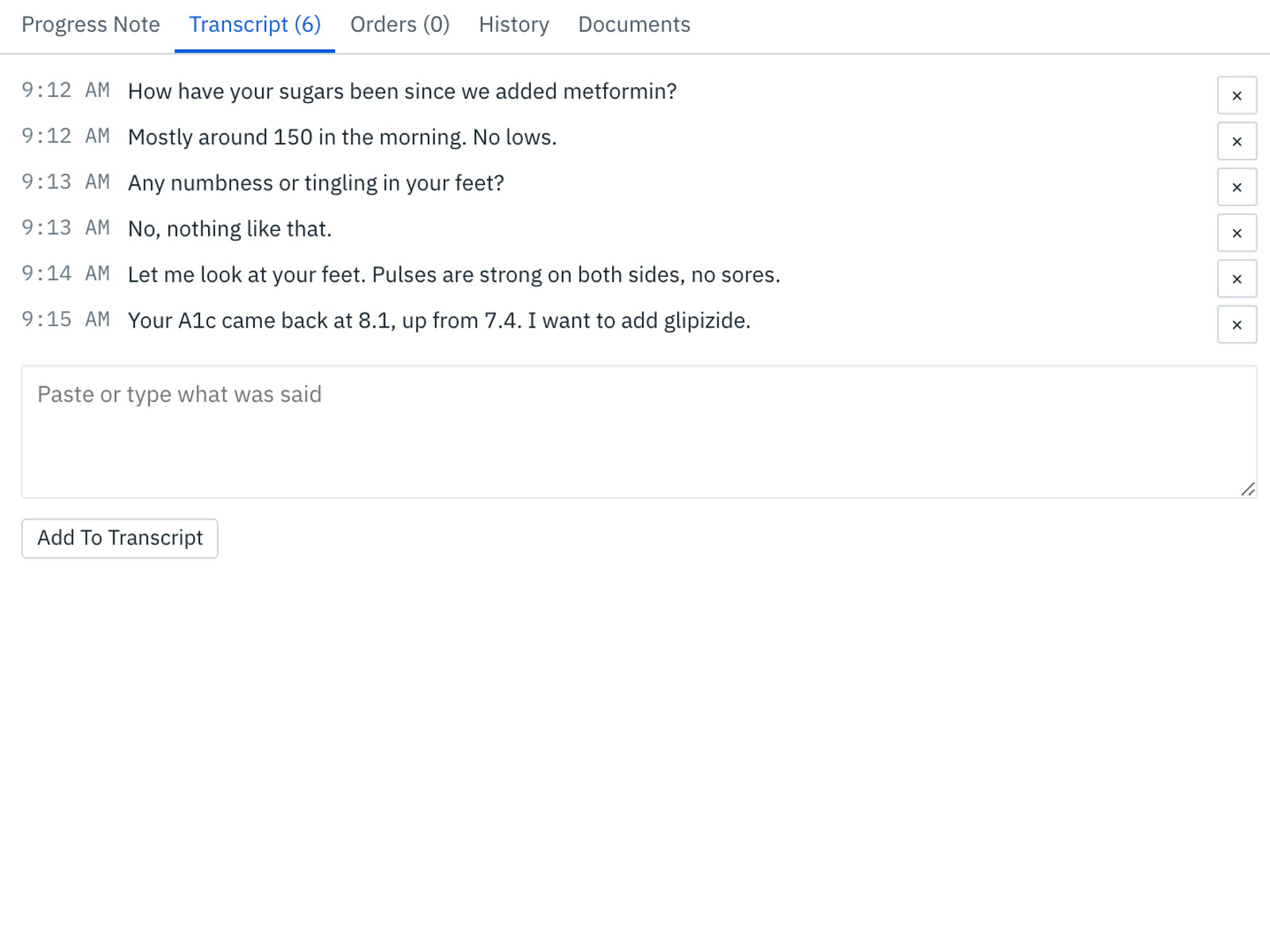
Record it, upload it, or paste it.
Start recording in the browser once the patient agrees, upload audio from another device, or paste a transcript from the tool you already use. Each line is timestamped and editable.
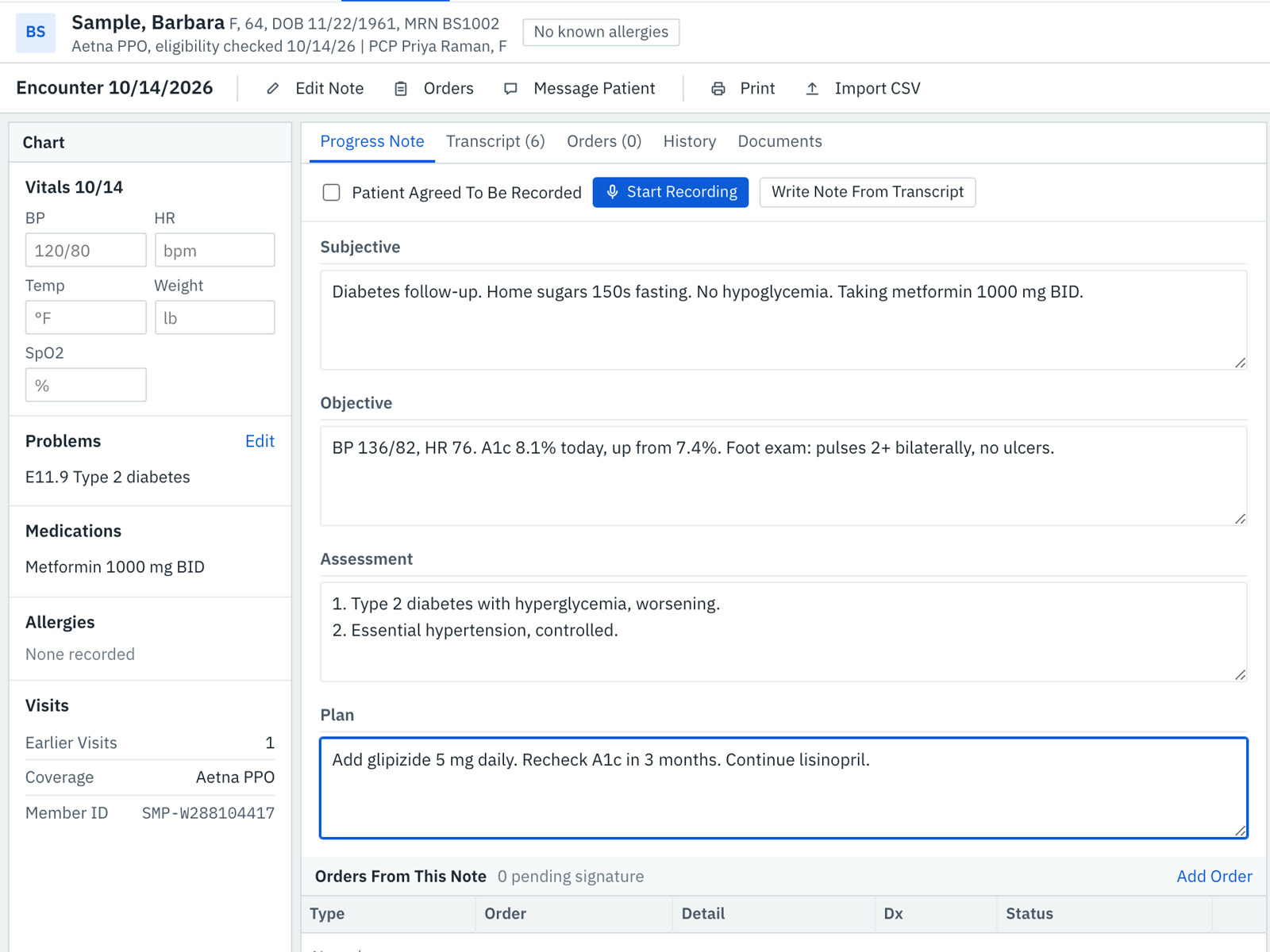
A note organized the way reviewers read.
What was said becomes Subjective, Objective, Assessment and Plan, with the vitals, problems, medications and allergies from the chart alongside. Every field stays editable.
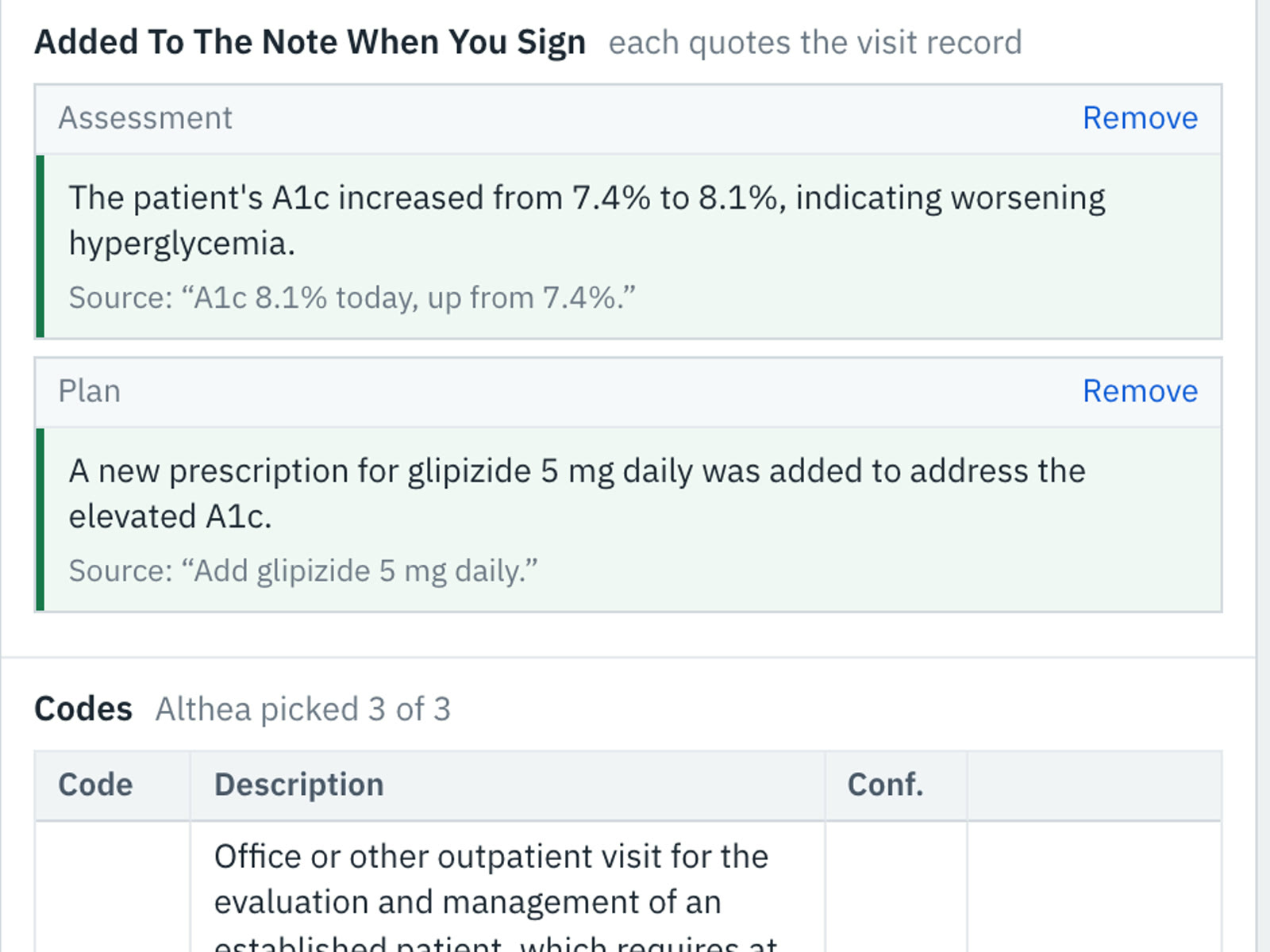
Every addition points back to the visit.
When Althais adds a finding to the note, it quotes the line of the visit it came from. You can remove anything you don't want before signing.
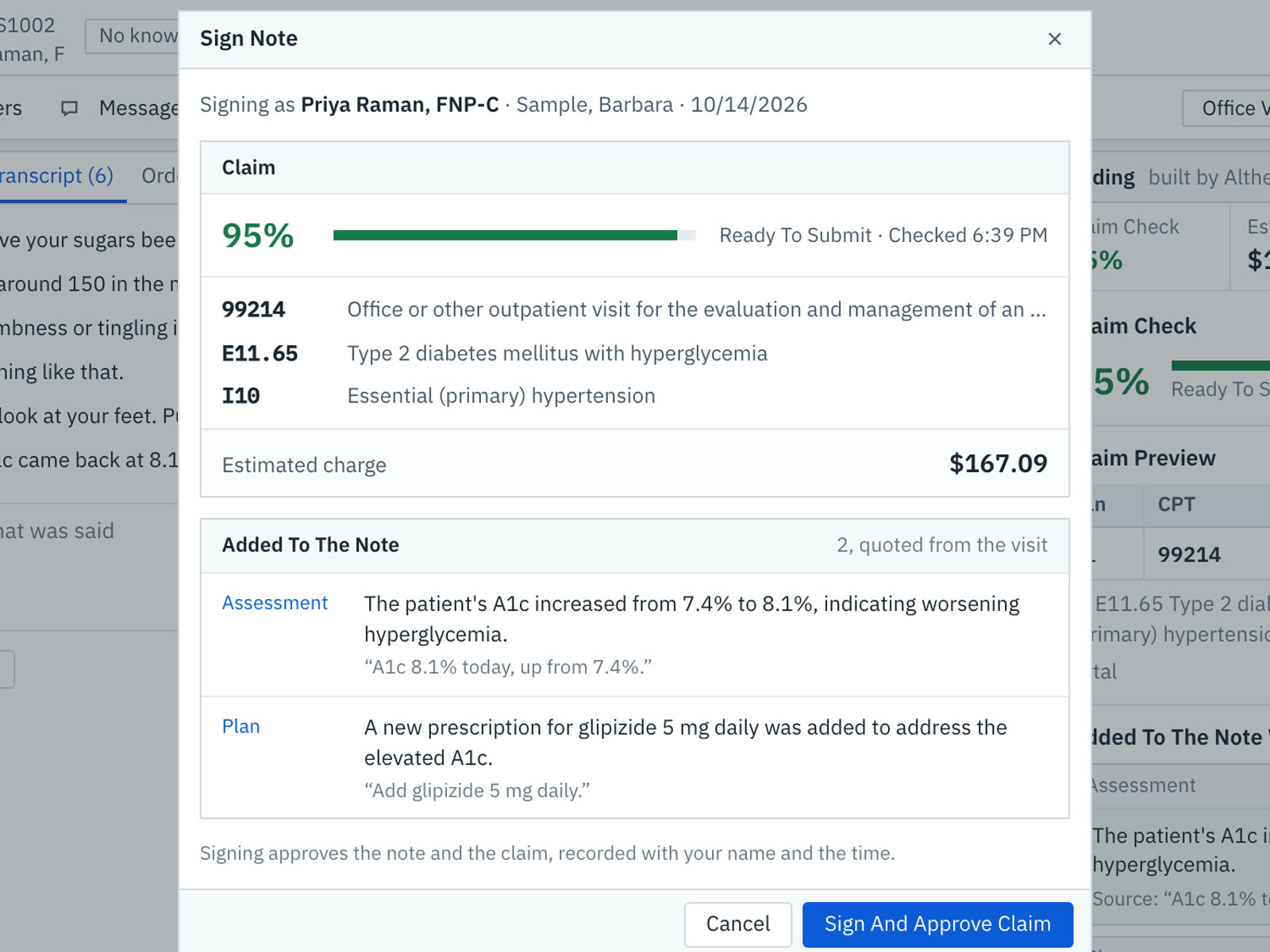
Sign once. The claim is ready too.
Signing approves the note and the claim built from it, recorded with your name and the time. The signed note goes to the chart and straight into coding.
Try Scribe.
Record, draft, sign.
This is the Althais Scribe screen with a sample visit. Check consent, start recording, then let it write the note. Every field stays editable.
Drafted by Althea from the transcript. Check every field before signing.